How MyMeals works
Snap a photo and put your phone down. MyMeals does the paperwork in the background and turns a week of meals into nutritional intelligence.
Step 1
Live your life
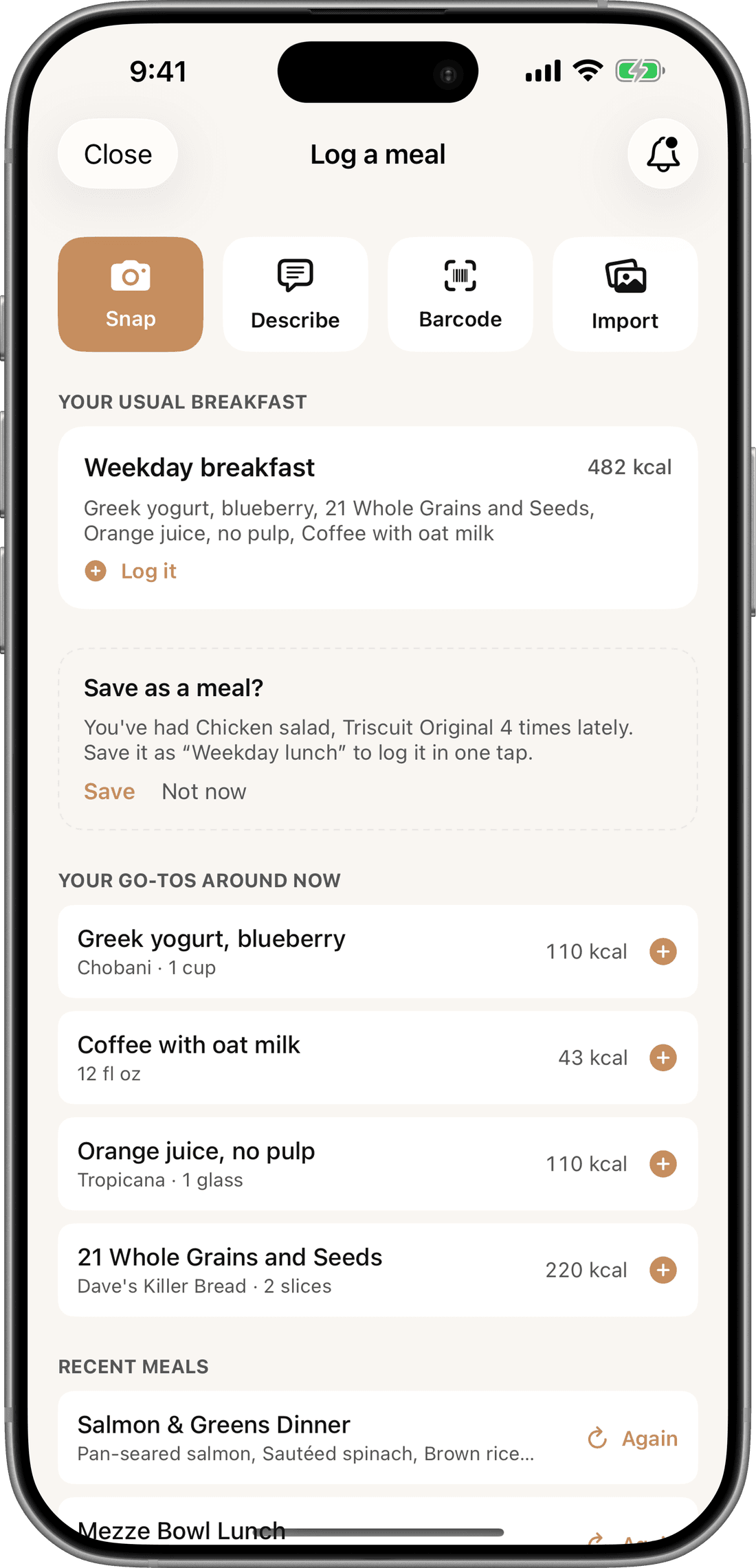
Snap multiple photos of a dinner party, or bulk-import your camera roll at the end of the day. MyMeals automatically stitches them into continuous eating sessions based on timestamps.
At your usual mealtimes, your regular meals and go-to foods sit at the top of the screen. A routine breakfast takes one tap.
Step 2
A two-second review is all it takes
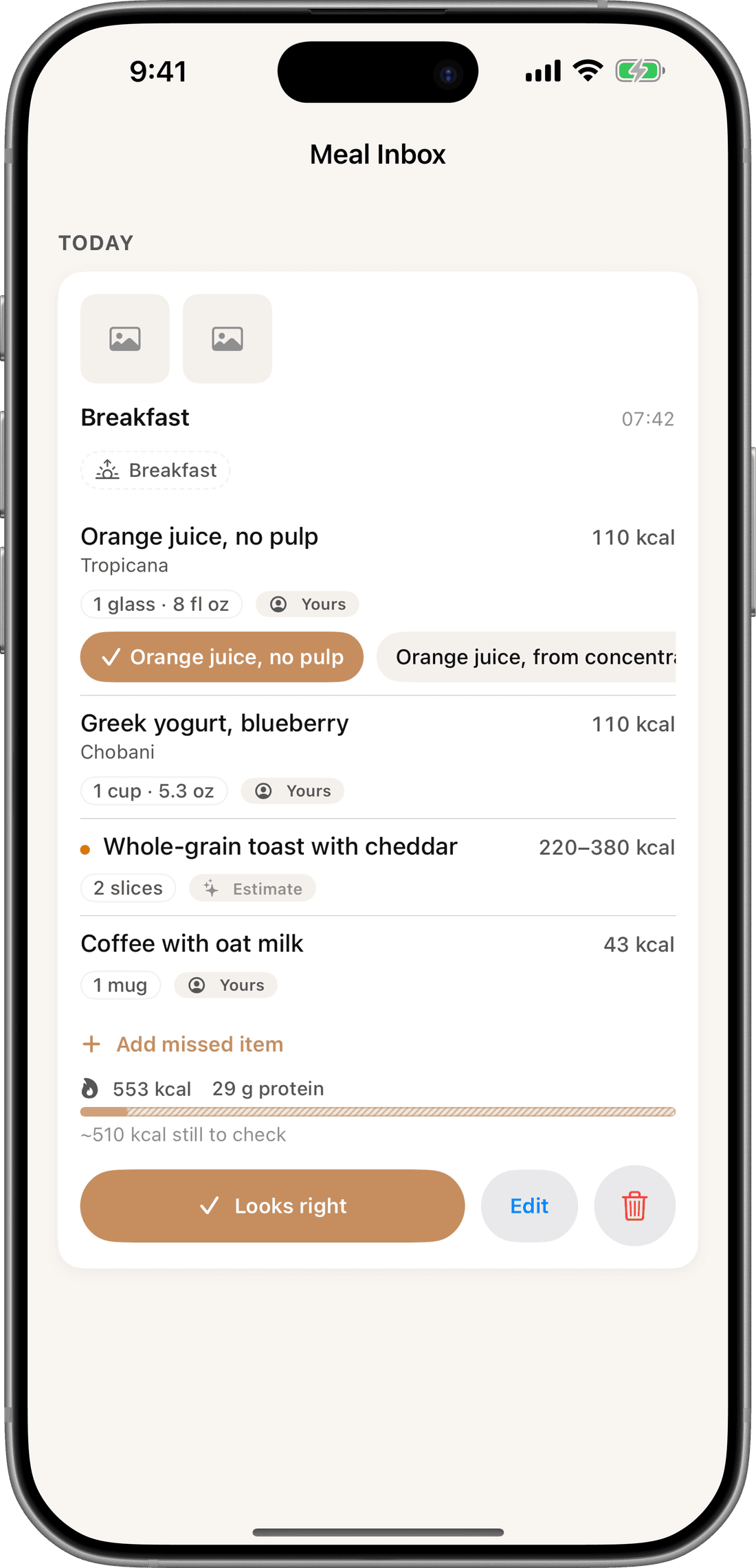
MyMeals drops a draft in your inbox, allowing you to calibrate portions or confirm ingredients on your own time, so your meal never gets cold.
Foods matched from your history carry a Yours tag. Where a photo can’t reveal a portion, MyMeals shows an honest range instead of false precision.
Step 3
A sovereign health graph that learns your kitchen
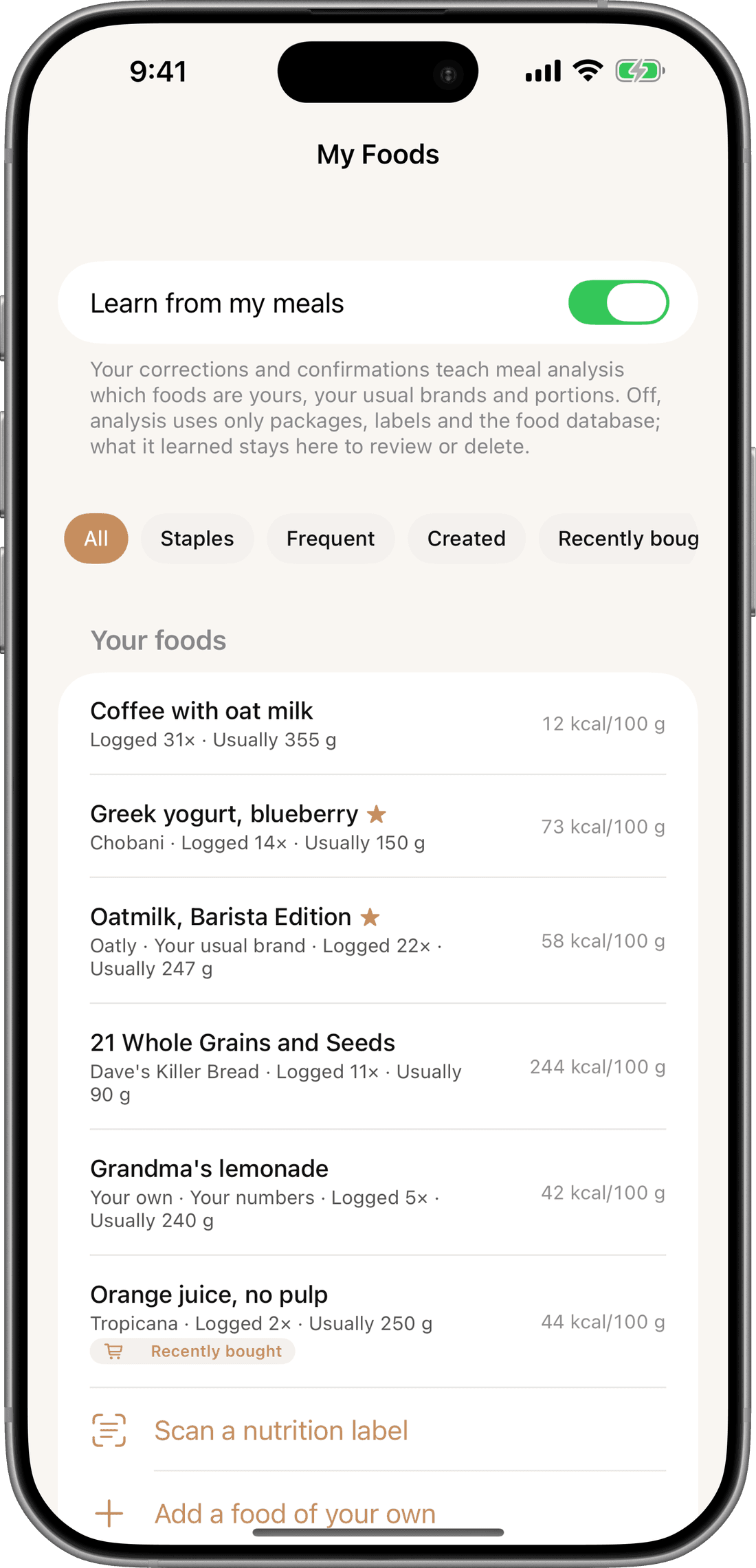
Scan a grocery receipt once. The next time MyMeals sees Greek yogurt in your bowl, it doesn’t guess from ten thousand brands. It starts with the Greek yogurt you actually bought.
Snap a one-time photo of your bowls and plates, and MyMeals uses them as a spatial anchor to calibrate your portions. My Foods holds everything it learns.
Step 4
Track the metabolic impact of every meal
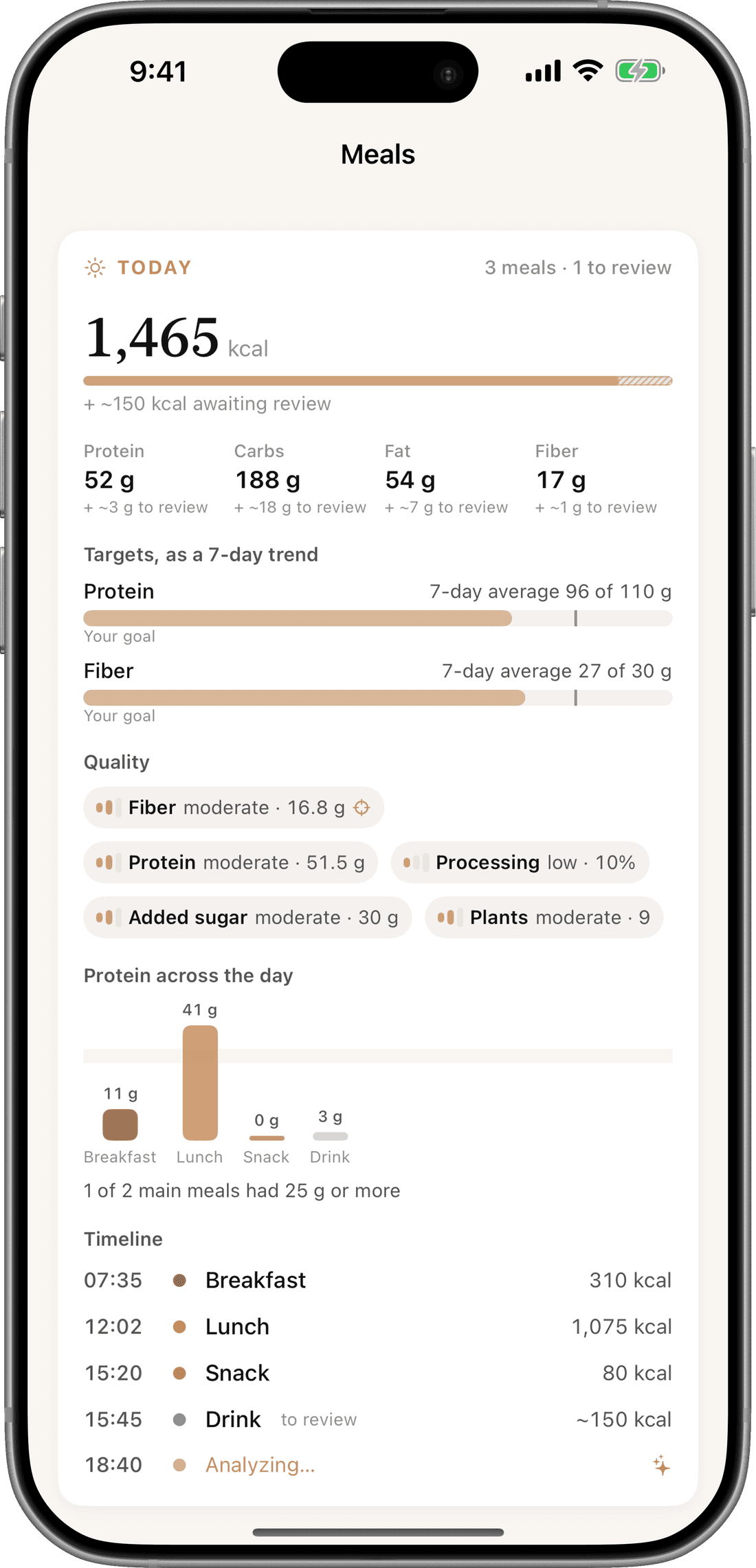
Your daily dashboard aggregates your nutrient density: protein and fiber against your seven-day averages, and your quality markers for processing, added sugar and plant diversity.
Protein across the day reveals whether your meals reach the 25 g threshold, meal by meal.
Step 5
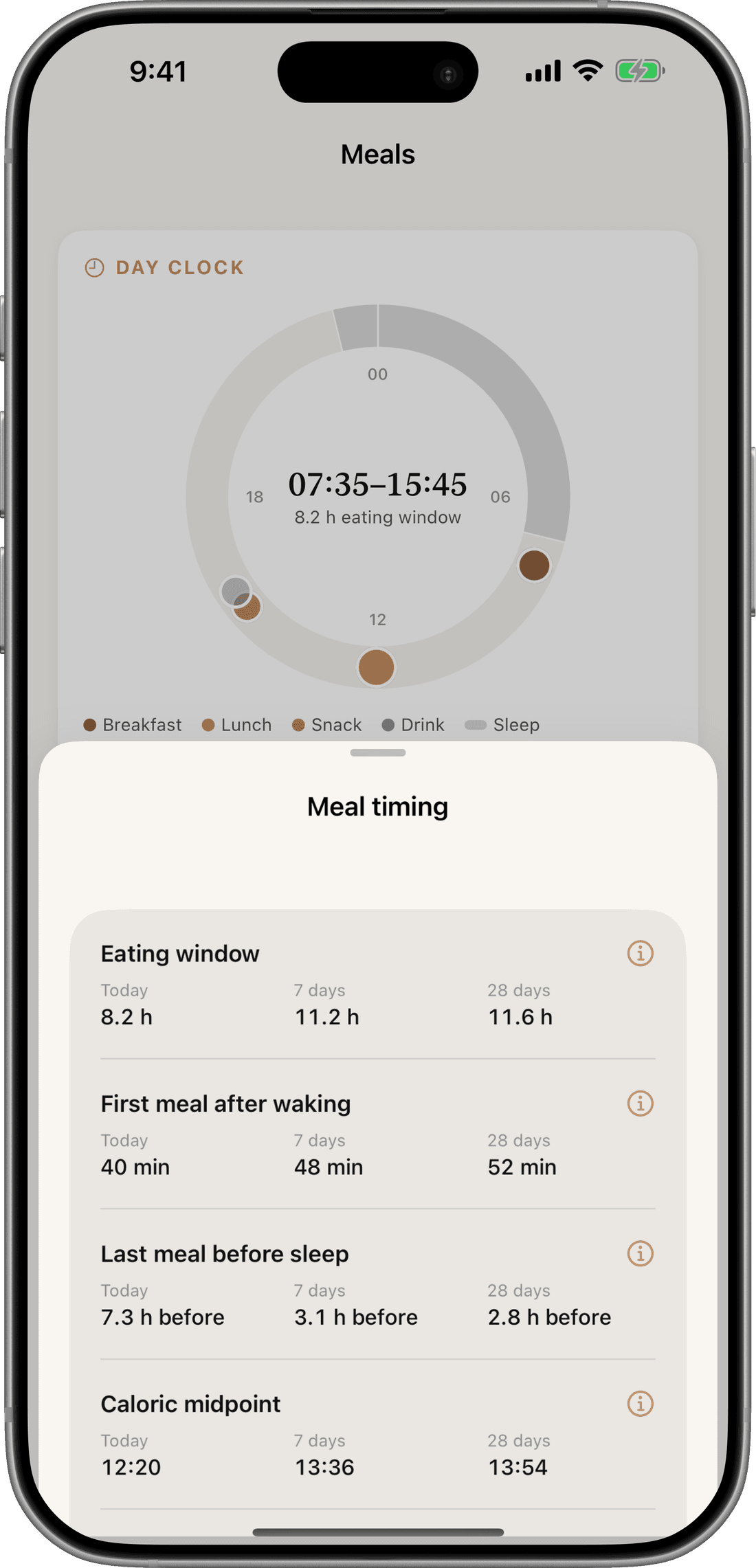
Map your circadian eating window
MyMeals places every meal on your Day Clock, revealing your true eating window and caloric midpoint against your 7- and 28-day averages.
Once a week, the health report scores the week as a whole, and your AI coach answers from your own health graph.


Eat for longevity. Let AI do the math.
Free to start with 10 AI meal analyses. For iPhone.